Ring Sizer — Desktop & Laptop Version
Step 1: Calibrate Your ScreenPlace any standard credit or debit card flat against your screen. Move the slider until the green card matches its physical size exactly.
Step 2: Measure Your RingPlace an existing ring on the screen. Adjust the slider until the circle aligns with the inside edge of your ring.
Ring Sizer — Phone & Tablet
Step 1: Calibrate Your Screen
Place a credit card on your screen. Slide until the green rectangle matches your card exactly. Then tap Lock.
Step 2: Measure Your Ring
Place a ring on the screen. Adjust until the circle matches the inside edge of your ring.
Find Your Perfect Ring Size
The most accurate way to determine your ring size is to visit a jewelry shop or purchase a Professional Ring Sizer Gauge Set.
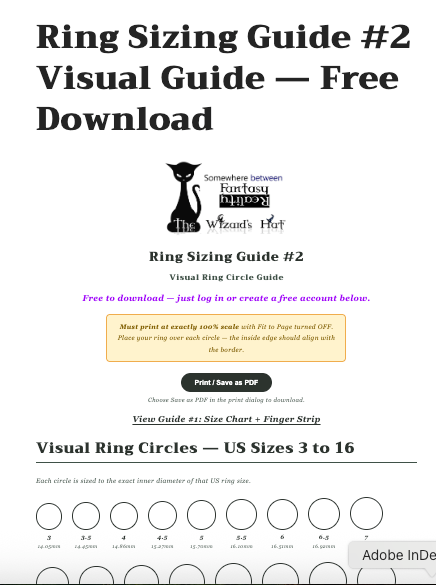
If those options aren't available to you, use our interactive ring sizers together with our printable guides for a close estimate.
Free Printable Sizing Guides
💡 Wide band tip: It is generally recommended to go up ½ size for wide bands, or a full size for extra-wide bands, to ensure a comfortable fit.
The Wizard's Hat
Ring Sizers
Ring Sizers
Couldn't load pickup availability
We are SUPER excited about our Integrated RING sizers, exclusive to The Wizard's Hat. Our IT team has created these to help you in your process!
You just need to sign up and create an account (for free) to use! Go on... Give it a try.
We now offer 2 integrated interactive Ring Sizers - Desktop/Laptop and Phone/Tablet Ring; and 2 new printable sizers as well.
Remember, the best way is still to go to a Jewelry store or purchase a Professional Ring sizer.... but these 4 tools will give you good adea.
Ignore the sold out, they are FREE with an account! Click on top section to log in!
Share
